Design frames for your photos
VirtuFrame is a good, free program only available for Mac, belonging to the category Design & Photography with subcategory Photo Albums & Viewers.
Top Recommended Alternative
More about VirtuFrame
VirtuFrame is available for users with the operating system Mac OS X and prior versions, and you can download it in English. The software version is 2.8.1 and the latest update happened on 10/24/2005.
Since the software was added to our catalog in 2005, it has obtained 673 downloads, and last week it achieved 1 download.
VirtuFrame is a fairly light program that doesn't take up as much storage space than the average program in the section Design & Photography. It's a very heavily used program in Germany.
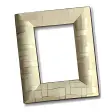
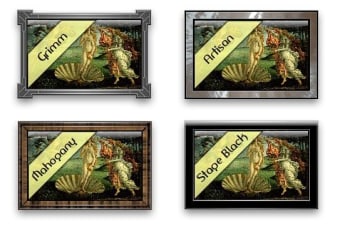
As part of the experience, VirtuFrame includes several frame styles sure to appeal to a wide audience of users. Every frame was designed with charm and craftsmanship in mind, attempting to replicate the quality of photo frames found in framing galleries. With each release, new frame styles are added, giving users the ability to match their computing environment with an appropriate frame.
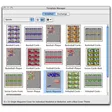
The user interface for VirtuFrame is elegant and efficient. Move the mouse over the virtual frame and the "Action" menu appears. With a single click you can access the Controller window which provides access to every feature of the application.
Installation is a simple drag-and-drop. Not sure you want to use VirtuFrame? Simply launch it directly from the downloaded disk image. If you like what you see, just quit the application and copy it to whatever location you prefer. Upgrading is as simple as the installation. Just drag-and-drop to copy the new version to whatever location you prefer and double-click. VirtuFrame takes care of everything.






.webp)